
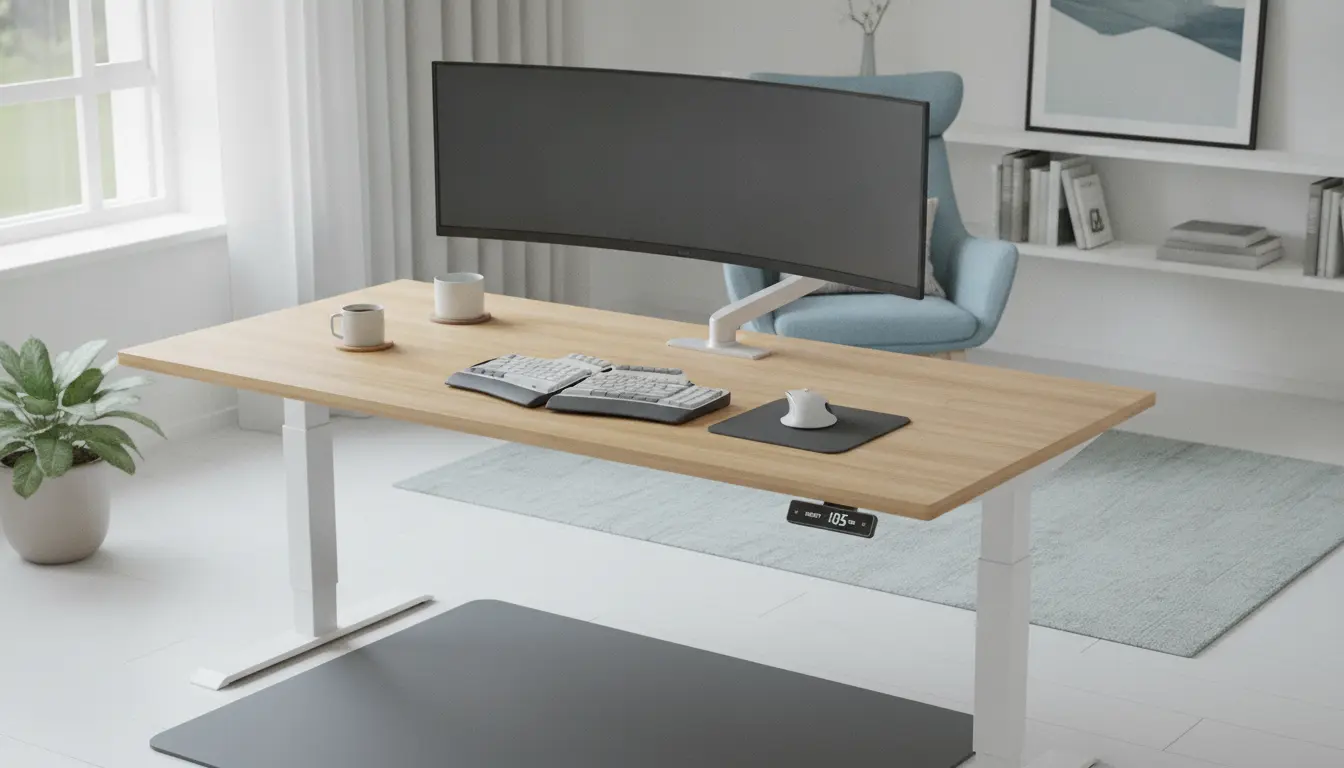
Standing Desk Setup: Basics
Setting up a standing desk properly reduces pain and improves focus. This practical guide walks you through a reliable standing desk setup for a healthy home office.
Follow these steps in order and adjust based on how your body responds. Small changes often make the biggest difference.
Choose the Right Desk and Essentials
Start with a desk that adjusts smoothly between sitting and standing heights. Electric desks are easiest, but manual crank desks work too.
Essential accessories to consider include an adjustable monitor arm, a separate keyboard tray, and an anti-fatigue mat.
What to buy for a standing desk setup
- Height-adjustable desk (electric or manual)
- External monitor or laptop riser
- External keyboard and mouse
- Anti-fatigue mat or supportive shoes
- Cable management solutions
- Adjustable monitor arm (optional but recommended)
Set Desk and Monitor Height Correctly
Proper monitor height prevents neck strain. Position the top third of the monitor at or slightly below eye level.

When standing, your eyes should naturally meet the screen without tilting your head up or down. Use a monitor arm or riser to fine-tune placement.
Monitor placement checklist
- Distance: 20–30 inches (arm’s length) from your eyes
- Height: top third of screen at eye level
- Angle: slight tilt back (10–20 degrees) for comfortable viewing
Keyboard and Mouse Position
Keyboard and mouse position is crucial for wrist and shoulder health. Keep the keyboard at elbow height so forearms are parallel to the floor.
Place the mouse close to the keyboard to avoid overreaching. A low-profile keyboard can reduce wrist extension.
Keyboard and mouse tips
- Wrists neutral, not bent up or down
- Elbows close to your sides and at roughly a 90-degree angle
- Consider a wrist rest only for short tasks; avoid leaning on it for long periods
Footwear, Flooring, and Anti-Fatigue Mats
Standing on a hard surface for long periods leads to fatigue. Use an anti-fatigue mat or supportive footwear to reduce pressure on feet and legs.
Change shoes periodically and consider compression socks if you stand for long stretches. Move your weight and shift stance often.
Alternate Sitting and Standing
Alternate between sitting and standing rather than standing all day. A practical pattern is 20–40 minutes standing, followed by 20–40 minutes sitting.
Set timers or use a standing desk app to remind you to change positions. Frequent short breaks are better than rare long ones.
Posture and Movement Tips
Good posture supports a healthy setup. Keep your chest open, shoulders relaxed, and neck aligned over your spine.
Incorporate small movements: gentle calf raises, short walks, and shoulder rolls every 30–60 minutes.
Simple posture checklist
- Head aligned over shoulders
- Shoulders relaxed and down
- Hips neutral, not tilted forward
Cable Management and Workspace Layout
Cable clutter reduces usable desk area and creates hazards. Route cables under the desk and use clips or a cable tray to organize them.
Keep frequently used items within arm’s reach. Store less-used items in drawers or shelves to maintain a clean surface.
Common Mistakes in Standing Desk Setup
- Setting monitor too low or too high
- Keeping keyboard too high, causing shoulder tension
- Standing in the same position for hours without breaks
- Ignoring footwear or a supportive mat
Alternating between sitting and standing can boost circulation and reduce lower back pain for many office workers. Short, frequent changes are more effective than long periods in one position.
Small Real-World Case Study
Case: Sarah, a graphic designer working from home, experienced lower back pain after long hours sitting. She installed a height-adjustable desk, an external monitor, and an anti-fatigue mat.
After two weeks of alternating 30 minutes sitting and 30 minutes standing and adjusting monitor height, Sarah reported less pain and improved focus. Her posture improved and she needed fewer mid-day breaks.
Standing Desk Setup Checklist
- Choose a stable, adjustable desk
- Set monitor at eye level and arm’s length away
- Position keyboard at elbow height
- Use an anti-fatigue mat or supportive shoes
- Alternate sitting and standing regularly
- Manage cables and keep workspace tidy
- Listen to your body and adjust as needed
When to See a Professional
If you have persistent pain that does not improve after adjusting your desk, consult a physical therapist or medical professional. They can provide personalized ergonomic recommendations.
Regular checkups are especially important if you have pre-existing conditions affecting posture, the spine, or circulation.
Final Tips for a Lasting Setup
Start gradually and track how you feel after changes. Small, consistent improvements create a sustainable and healthy standing desk setup.
Keep the environment comfortable — good lighting, minimal glare on the screen, and a tidy desk help you stick with ergonomic habits.