
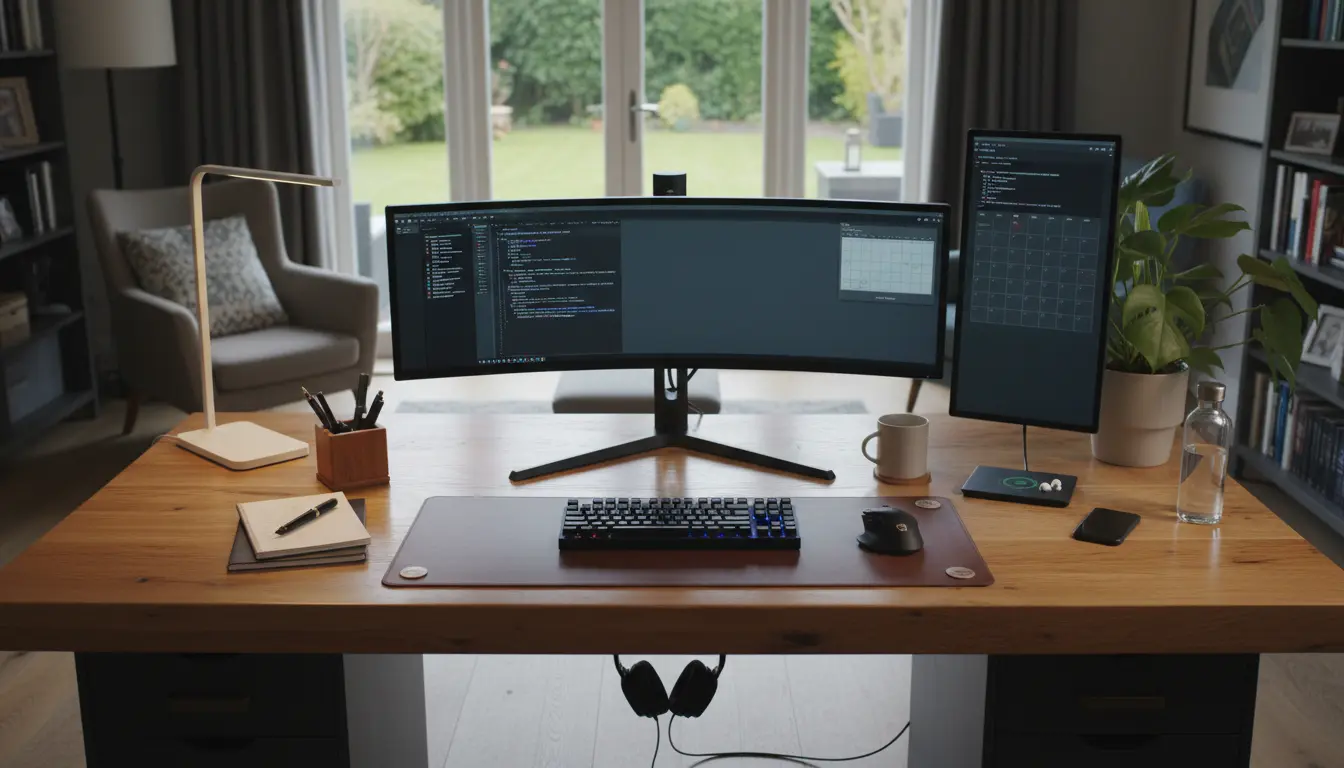
Home Office Ergonomics Basics
Home office ergonomics means arranging your workspace so your body stays comfortable and efficient. Good ergonomics reduces pain, fatigue, and distraction during the workday.
This guide provides practical, step-by-step adjustments you can make with common equipment and a modest budget.
Why focus on home office ergonomics
Poor setup leads to neck pain, back pain, wrist strain, and reduced productivity. Small, consistent changes produce measurable benefits in comfort and performance.
Desk and Monitor Setup for Home Office Ergonomics
Position your monitor, keyboard, and mouse to reduce strain. The monitor should be at arm’s length and the top of the screen roughly at eye level.
Use these quick checks:
- Monitor 20–30 inches from your eyes—about an arm’s length.
- Top third of the screen at or slightly below eye level.
- Reduce glare with blinds or monitor hoods if needed.
Keyboard and mouse placement
Keep your forearms parallel to the floor and your wrists neutral while typing. Slide the keyboard forward so your elbows stay close to your body.
- Place mouse next to keyboard—avoid reaching.
- Use a low-profile keyboard or adjustable tray if space allows.
- Consider an ergonomic mouse if you have wrist pain.
Chair and Posture for Home Office Ergonomics
A supportive chair is the core of a healthy home office. If you can, choose a chair with adjustable seat height, lumbar support, and armrests.
If a new chair is not possible, make adjustments to improve existing seating.
Seat and lumbar support
Sit so your feet rest flat on the floor and your knees are level with or slightly below your hips. Use a small cushion to support the lower back if the chair lacks lumbar support.
- Adjust seat depth so there is a 2–3 inch gap behind your knees.
- Use a rolled towel or lumbar pillow to maintain a neutral spine curve.
Posture tips
Maintain a relaxed upright posture with shoulders down. Avoid slumping forward; break prolonged sitting every 30–45 minutes.
Set a timer or use an app to remind you to stand, stretch, or walk briefly.
Lighting, Sound, and Environment
Lighting and noise affect comfort and focus. Aim for balanced lighting and reduce background noise where possible.
- Use natural light but avoid direct glare on your screen.
- Add a desk lamp with adjustable brightness for tasks.
- Use noise-canceling headphones or white noise to limit distractions.
Temperature and air quality
Keep the room at a comfortable temperature and ventilate regularly. Indoor air that is too dry or stagnant contributes to fatigue and irritation.
Accessories and Small Changes with Big Impact
You do not need expensive gadgets to improve home office ergonomics. Some inexpensive items can make a big difference.
- Footrest: helps if your feet don’t reach the floor.
- Monitor riser or books: quick hack to raise screen height.
- External keyboard and mouse for laptop users.
- Document holder placed beside the monitor to avoid neck rotation.
Standing desks and sit-stand routines
Alternating between sitting and standing reduces static load. Start with short standing intervals and build up slowly to avoid fatigue.
- Begin with 15–20 minutes standing every hour and adjust to comfort.
- Use an anti-fatigue mat when standing to reduce leg strain.
Practical Routine and Habits
Ergonomics is as much about habit as equipment. Create a routine that prevents strain and supports focus throughout the day.
- Set up your workspace once and keep it consistent.
- Schedule short movement breaks and stretching sessions.
- Perform a quick posture check every hour.
Case Study: Small Team, Big Improvement
A small marketing team of five shifted to a planned ergonomic setup. They implemented monitor risers, ergonomic mice, and a sit-stand schedule over four weeks.
Results after two months included a reported 60% drop in neck pain incidents and a 15% improvement in self-rated focus during afternoons. The team tracked breaks and posture checks with a shared calendar.
Key takeaways from the case
- Low-cost changes produced measurable health improvements.
- Team accountability helped maintain new habits.
- Simple tracking of discomfort highlighted the most useful adjustments.
Quick Checklist for Home Office Ergonomics
- Monitor at eye level and arm’s length away.
- Keyboard and mouse close, wrists neutral.
- Chair supports lower back and allows feet flat on the floor.
- Take movement breaks every 30–45 minutes.
- Adjust lighting to reduce glare and eye strain.
Follow this checklist and make one change at a time. Small, consistent adjustments will improve comfort and help you work more effectively from home.