
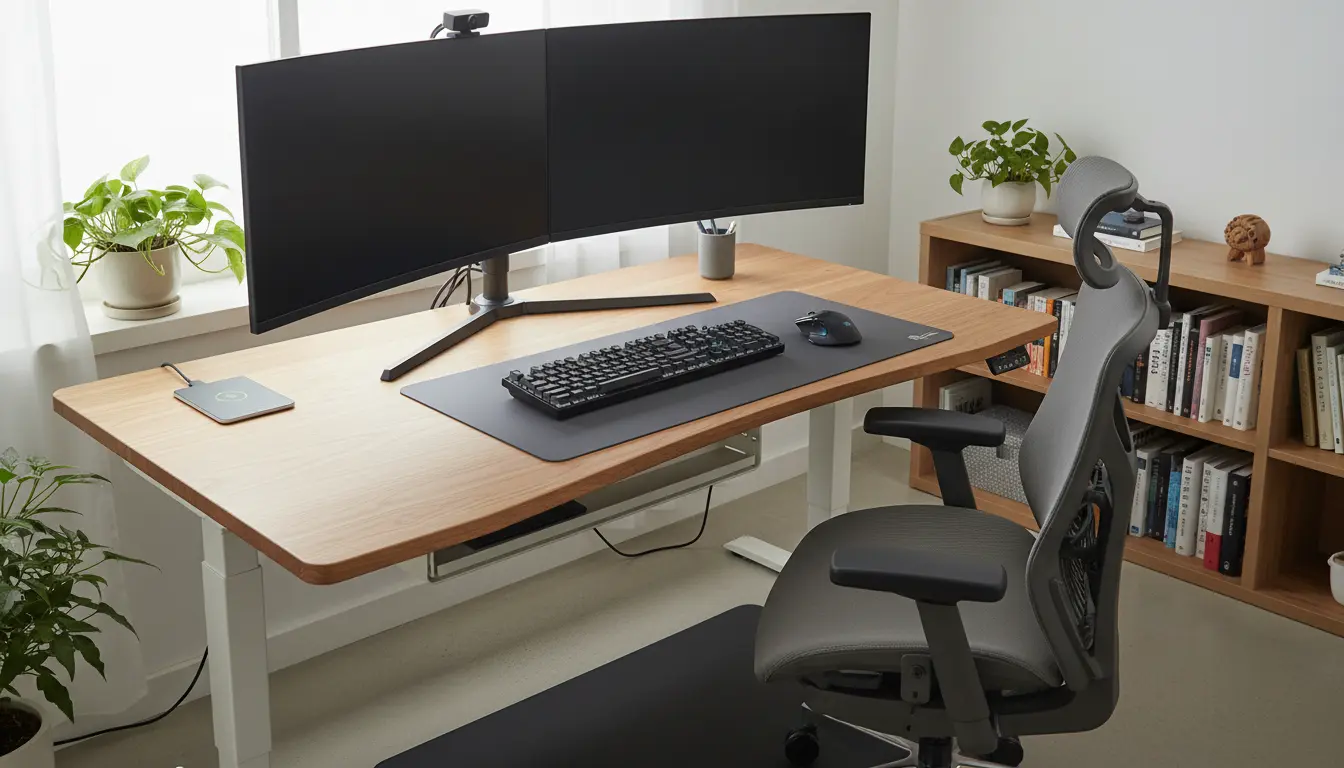
What is home office ergonomics?
Home office ergonomics means arranging your workspace so your body is supported and strain is minimized. It focuses on posture, equipment placement, and routines that reduce discomfort and improve focus.
Good ergonomics prevents neck, back, and wrist pain and helps sustain energy through the workday. Small changes often produce big benefits.
Why home office ergonomics matters
Poor setup can lead to repetitive strain, headaches, and reduced productivity. Addressing ergonomics early avoids chronic problems and limits time lost to pain.
Employers and freelancers both gain when workers feel comfortable and can maintain consistent output without frequent breaks for recovery.
Key ergonomic principles for home office ergonomics
These principles are simple to apply and require minimal investment. Start with posture, screen height, and frequent movement.
Posture and chair setup
Sit with feet flat on the floor and knees at or slightly below hip level. Your lower back should be supported by the chair’s lumbar curve.
Adjust armrests so shoulders relax and elbows rest close to the body at about 90 degrees. If your chair lacks support, add a small cushion.
Monitor and screen placement
Place the top of the monitor at or slightly below eye level to prevent neck tilt. Position the screen about an arm’s length away.
Use a laptop stand or external monitor when possible; viewing a laptop screen alone often forces a forward head posture.
Keyboard and mouse placement
Keep keyboard and mouse close enough that you don’t reach. Wrists should be in a neutral position, not bent up or down.
Consider a compact keyboard or a split keyboard if you experience wrist discomfort. Use a mouse that fits your hand size to reduce grip strain.
Quick ergonomic checklist for home office ergonomics
- Chair: Lumbar support, adjustable height, feet flat on floor.
- Monitor: Top of screen at eye level, 20–30 inches away.
- Keyboard: At elbow height, wrists neutral.
- Mouse: Close to keyboard, matched to hand size.
- Lighting: Even, reduce glare, use task lighting if needed.
- Movement: Stand or stretch every 30–60 minutes.
Simple ergonomic improvements you can make today
Start with free or low-cost changes before buying equipment. Often posture and habit adjustments are the most effective first steps.
- Raise your laptop with a stack of books and use an external keyboard.
- Place a rolled towel behind your lower back for lumbar support.
- Use a phone stand or headset to avoid cradling the phone.
- Set a timer to stand and stretch for 2–3 minutes each hour.
When to upgrade equipment
If pain persists despite habit changes, consider ergonomic investments. Prioritize a good chair, an adjustable desk, and a monitor arm.
Buy items with return policies so you can test comfort over a week. What fits one person may not suit another.
Regular micro-breaks of 1–2 minutes every 30 minutes can lower musculoskeletal strain and improve concentration. Small movement breaks are more effective than a single long break.
Routine habits that support home office ergonomics
Ergonomics is as much about habits as it is about equipment. Build routines that reduce static loading and encourage varied movement.
- Alternate sitting and standing if you have a height-adjustable desk.
- Perform simple stretches for the neck, shoulders, and wrists twice daily.
- Use voice-to-text for long typing sessions to reduce wrist load.
- Keep frequently used items within arm’s reach to avoid repetitive reaching.
Case study: Small change, big relief
Sarah is a freelance graphic designer who experienced neck pain after full days at her laptop. Her monitor sat low and she leaned forward to read details.
She raised her laptop on a stand, connected an external keyboard, and set a 45-minute timer to stand and stretch. Within two weeks her neck pain decreased and her focus improved.
Result: A modest investment and routine change eliminated daily discomfort and allowed her to work longer without fatigue.
Troubleshooting common ergonomic problems
If you still feel pain, check these common issues and solutions. Sometimes the cause is a subtle habit or environmental factor.
- Symptom: Wrist pain — Solution: Lower keyboard, use wrist pad sparingly, try an ergonomic mouse.
- Symptom: Upper back tension — Solution: Check monitor distance and head position; add lumbar support.
- Symptom: Eye strain — Solution: Adjust brightness, increase font size, blink more often and follow the 20-20-20 rule.
Final checklist before you log in
Before starting your workday, run a quick ergonomic check. Spend 2 minutes to adjust and you may avoid hours of discomfort later.
- Feet flat and knees relaxed.
- Screen at eye level and clear of glare.
- Keyboard and mouse close, wrists neutral.
- Timer set for regular micro-breaks.
Applying simple home office ergonomics principles produces measurable improvements in comfort and productivity. Start small, test changes, and build habits that support your body throughout the workday.