
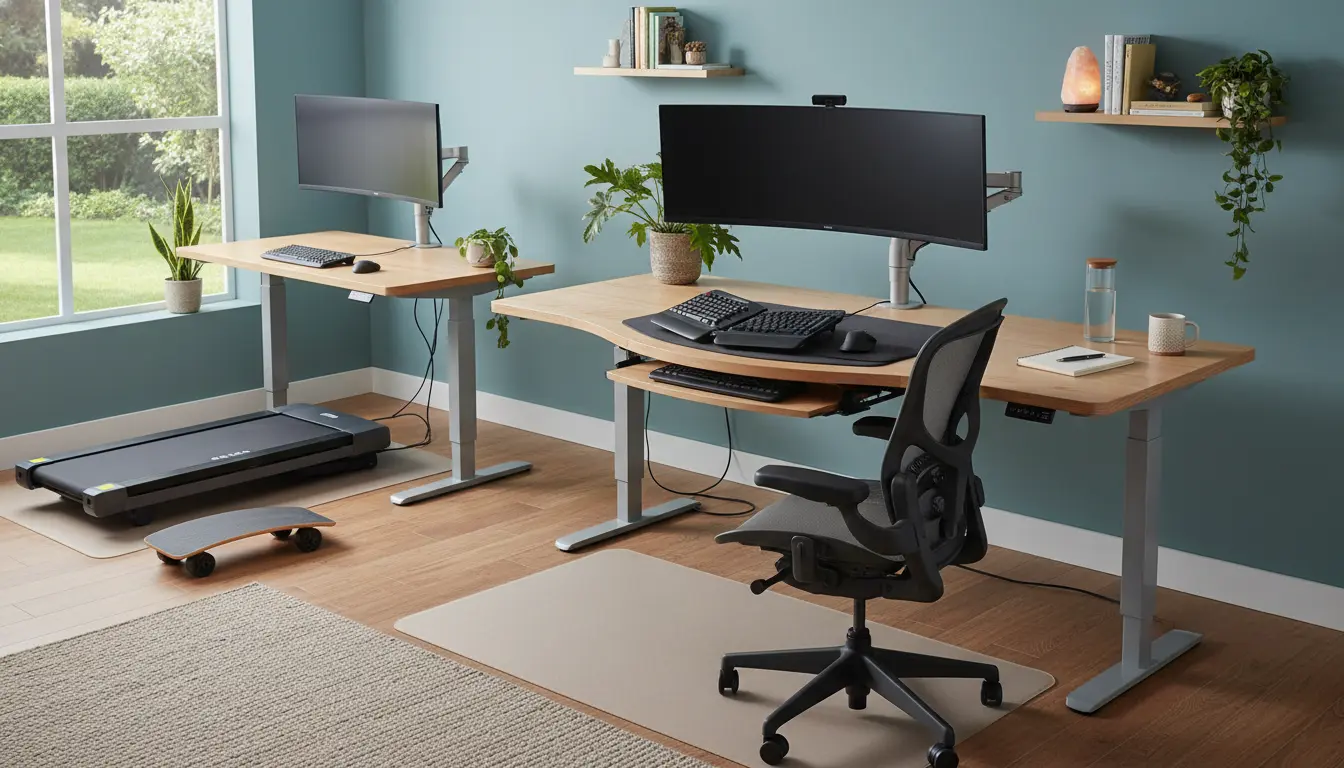
Why Home Office Ergonomics Matters
Home office ergonomics reduces strain and supports productivity. A basic ergonomic setup prevents neck, shoulder, and back pain that often comes with long hours at a desk.
Small adjustments can improve comfort and focus immediately. This guide gives practical, step-by-step instructions you can apply today.
Common Ergonomic Risks at Home

Poor ergonomics can cause repetitive strain and fatigue. Common issues include improper monitor height, low-quality chairs, and awkward keyboard angles.
Identifying these risks helps you prioritize changes that deliver the most benefit.
How to Set Up Your Home Office Ergonomics
Start with the big three: chair, desk, and monitor. Correcting these delivers the largest reduction in discomfort.
Desk and Chair Setup

Choose a chair with lumbar support and adjustable height. Your feet should rest flat on the floor and your knees form roughly a 90-degree angle.
Adjust desk height so forearms are parallel to the floor when typing. If your desk is fixed and too high, raise your chair and add a footrest.
Monitor, Keyboard, and Mouse Position
Place the monitor directly in front of you, about an arm’s length away. The top of the screen should be at or slightly below eye level to avoid neck strain.

Keep the keyboard and mouse close to avoid reaching. Use a soft wrist rest only for breaks, not as a constant support while typing.
Lighting, Screen, and Posture Tips for Ergonomics
Good lighting reduces eye strain. Position your desk to avoid glare on the screen from windows or overhead lights.
Adopt a neutral posture: relaxed shoulders, straight back, and head aligned over the spine. Use an external keyboard and mouse with a laptop to maintain proper height.
Accessories That Improve Home Office Ergonomics
- Adjustable chair with lumbar support
- Monitor riser or adjustable arm
- External keyboard and mouse
- Footrest if feet don’t reach the floor
- Document holder to avoid head rotation
Daily Habits to Support Home Office Ergonomics
Ergonomics is not only about furniture; habits matter. Build movement and micro-breaks into your day to reduce fatigue.
Follow a simple routine: stand every 30–45 minutes, stretch key muscles, and vary tasks to avoid repetitive posture.
Stretch and Movement Examples
- Neck rolls: 3–5 slow circles each direction
- Shoulder shrugs: 10 repetitions to release tension
- Hip flexor stretch: 30 seconds per side when standing
- Short walks: 5 minutes every hour to increase circulation
Quick Checklist: Immediate Home Office Ergonomics Fixes
- Raise monitor so the top is at eye level.
- Keep keyboard and mouse at elbow height.
- Sit with feet flat and use a footrest if needed.
- Use an external keyboard and mouse with a laptop.
- Set a timer for movement breaks every 30–45 minutes.
Small Case Study: Real-World Home Office Ergonomics
Maria works as a remote project manager and experienced neck pain after months of laptop work. She followed a simple plan: added a monitor riser, an external keyboard, and a supportive chair cushion.
Within two weeks she reported reduced pain and improved concentration. Her team noticed fewer interruptions for short breaks, and she felt more comfortable in long meetings.
Ergonomics on a Budget
You don’t need expensive equipment to improve ergonomics. Use books or a sturdy box as a monitor riser and a firm cushion for lumbar support.
Even small changes, like adjusting chair height and adding 5-minute walk breaks, provide meaningful relief.
When to Seek Professional Help
If pain persists despite adjustments, consult a physical therapist or occupational therapist. They can assess posture and recommend tailored changes.
Ergonomists can also design a workspace plan based on specific job demands and medical history.
Final Steps to Improve Home Office Ergonomics
Start by making one change this week: raise your monitor, adjust your chair, or set a movement timer. Track how you feel over two weeks and add another change.
Consistent small improvements compound into long-term comfort and productivity. Use the checklist above to guide your setup and daily routine.