
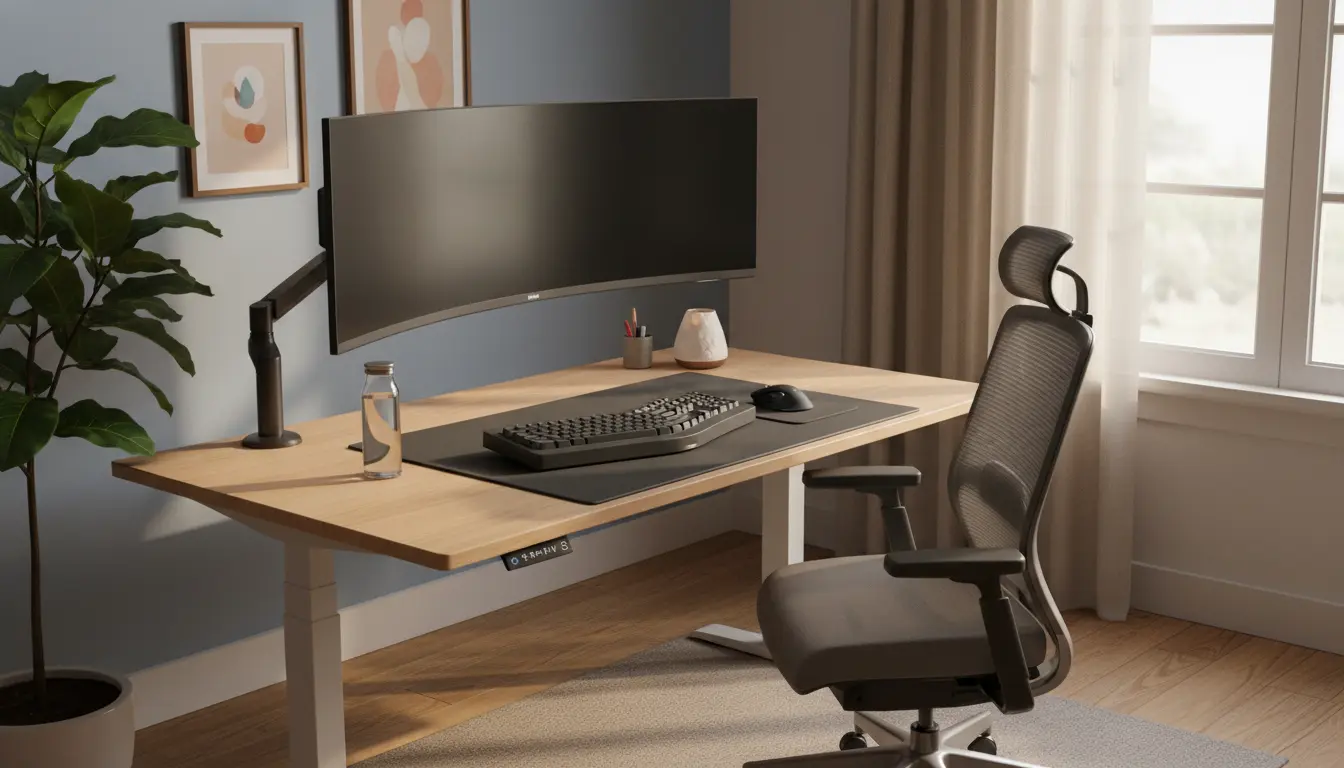
Many people working from home suffer from neck pain, back aches, and reduced focus because their workspace is poorly arranged. Improving home office ergonomics is an effective, low-cost way to reduce discomfort and increase productivity.
Home Office Ergonomics Basics
Ergonomics focuses on fitting the work environment to the person. Small adjustments to chair height, monitor position, and desk layout make a measurable difference.

Start with a simple checklist to identify obvious problems like a low monitor, unsupported lower back, or a keyboard placed too high.
Key Principles of Home Office Ergonomics
- Maintain neutral joint positions to reduce strain.
- Position tools within easy reach to limit repetitive reaching.
- Alternate between sitting and standing throughout the day.
Desk and Chair Setup for Home Office Ergonomics
Your chair and desk are the foundation of an ergonomic home office. Getting them right first prevents many common issues.
Chair Adjustments
Adjust chair height so your feet rest flat on the floor and knees are at a 90-degree angle. Use lumbar support to preserve the natural curve of your lower back.

Look for these chair features: adjustable seat height, lumbar support, and a seat depth that allows 2–3 inches between the seat and the back of your knees.
Desk Height and Work Surface
Sit with your forearms parallel to the floor and wrists straight when typing. For most people, a desk height of 28–30 inches works, but adjust as needed or use a keyboard tray.
If your desk is too high, lower your chair and add a footrest. If it is too low, consider a riser or a standing desk converter.
Monitor, Keyboard, and Mouse Placement

Proper monitor and input device placement reduces neck and shoulder strain. These items should be aligned with your natural posture.
Monitor Height and Distance
Place the top of the monitor at or slightly below eye level. The screen should be about an arm’s length away, typically 20–30 inches depending on screen size.
Angle the monitor slightly back (10–20 degrees) to reduce glare and neck extension.
Keyboard and Mouse Position
Keep the keyboard close enough to type with elbows near your sides. The mouse should be at the same level as the keyboard and within easy reach.
Consider a split keyboard or an ergonomic mouse if you have persistent wrist or forearm pain.
Lighting, Movement, and Breaks
Good lighting reduces eye strain and frequent movement prevents stiffness. Ergonomics includes behavior as much as equipment.
Lighting and Glare Control
Use a combination of ambient and task lighting. Position the monitor perpendicular to windows to avoid direct glare and use blinds or curtains when needed.
Movement and Microbreaks
Stand up, stretch, or walk for a few minutes every 30–60 minutes. Incorporate short microbreaks for neck and shoulder mobility throughout the day.
Set a timer or use apps that remind you to move and change posture regularly.
Changing posture every 30 minutes can reduce musculoskeletal strain and improve focus. Even two minutes of standing or stretching per break helps circulation.
Practical Tools and Affordable Upgrades
You don’t need expensive gear to improve home office ergonomics. A few affordable tools often produce big gains.
- Adjustable laptop stand or monitor riser to get proper screen height.
- External keyboard and mouse to avoid cramped wrists.
- Lumbar cushion or rolled towel for lower back support.
- Anti-fatigue mat if you use a standing desk frequently.
Simple Home Office Ergonomics Checklist
Use this quick checklist to evaluate and tune your setup in 10–15 minutes.
- Feet flat on floor or footrest in use
- Knees at roughly 90 degrees
- Lower back supported
- Elbows close to the body and forearms parallel to the floor
- Wrists straight when typing
- Monitor top at or slightly below eye level
- Screen about an arm’s length away
- Light sources reduce glare on screen
- Break reminder set for every 30–60 minutes
Case Study: Freelancer Improves Comfort and Output
Sarah, a freelance copywriter, had frequent neck pain and afternoon fatigue. Her monitor was low and her keyboard sat on a cluttered desk.
After following a basic home office ergonomics plan, she raised her monitor with a riser, added an external keyboard, and set a 45-minute movement reminder. Within two weeks she reported less neck pain and a clearer afternoon focus.
Her output increased by about 15% because she could work longer stretches without discomfort. The total cost was under $80 for basic tools.
Final Tips for Long-Term Home Office Ergonomics
Reassess your workspace every few months or after any increase in work hours. Small iterative changes are easier to keep than one large overhaul.
Track your comfort and productivity for a few weeks after changes to see what works. Combine equipment adjustments with behavioral habits like regular breaks and movement.
Applying home office ergonomics is a practical investment in health and productivity. Start with the checklist, make low-cost adjustments, and observe the improvements in comfort and focus.