
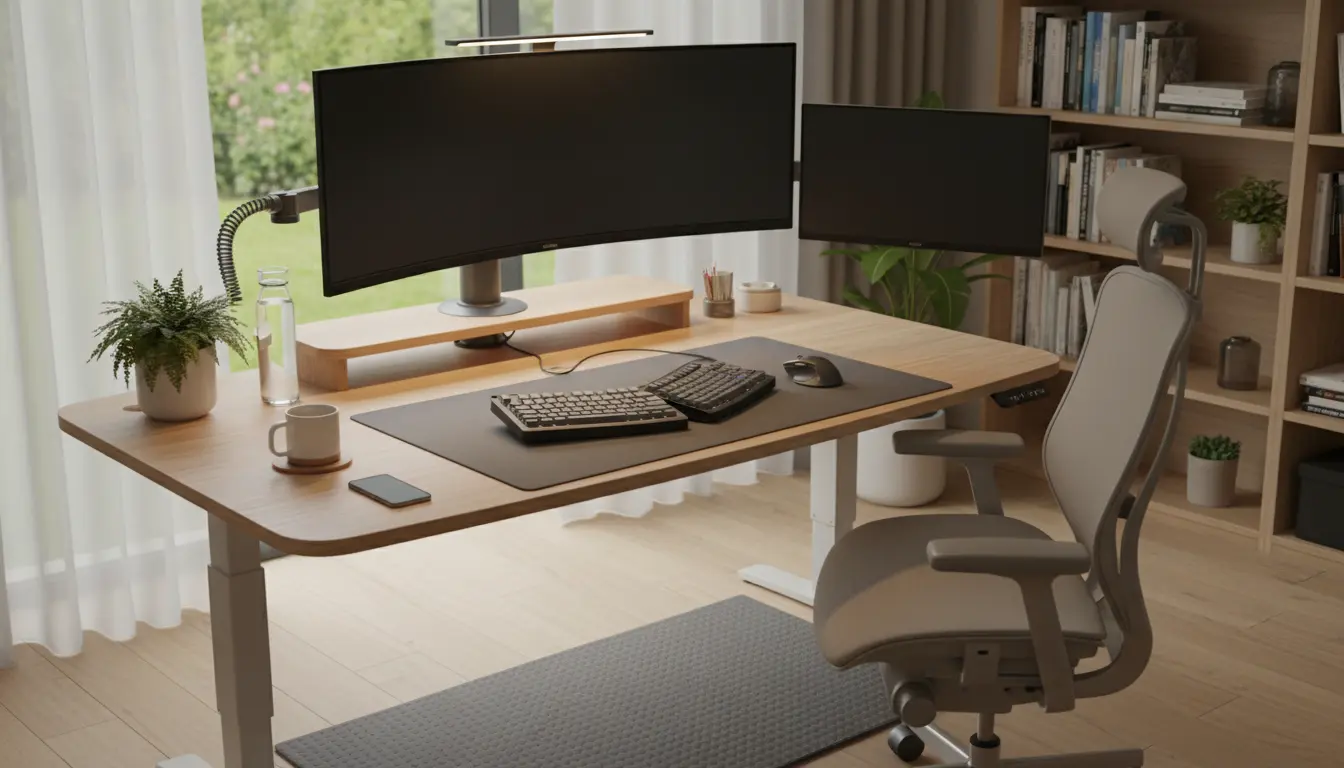
Home Office Ergonomics Basics
Home office ergonomics focuses on arranging your workspace so your body can work with minimal strain. Small changes to posture, equipment, and habits reduce pain and improve focus.
This guide gives practical steps you can follow today, using common items and affordable adjustments. No special tools are required to start improving your setup.
Chair and Desk Setup for Home Office Ergonomics

Choose a chair that supports the natural curve of your lower back and allows feet to rest flat on the floor. If your chair lacks lumbar support, add a small cushion or rolled towel to maintain spinal alignment.
Set desk height so forearms are parallel to the floor when typing and wrists float comfortably above the keyboard. If the desk is too high, lower your chair and use a footrest; if too low, raise the chair and ensure feet are supported.
Monitor and Keyboard for Home Office Ergonomics
Position the top of the monitor at or slightly below eye level and about an arm’s length away to avoid neck strain. If you use a laptop as your primary screen, place it on a stand and connect an external keyboard and mouse to keep screens and input devices separate.

Use a keyboard and mouse that fit your hands and avoid excessive reach. Keep input devices close to the body to minimize shoulder tension and maintain relaxed elbows at about a 90-degree angle.
Lighting, Movement, and Accessories for Home Office Ergonomics
Good lighting reduces eye strain and improves posture by encouraging an upright head position. Use a combination of ambient and task lighting and position bright lights to avoid screen glare.
Incorporate movement every 30 to 60 minutes to reduce stiffness and improve circulation. Simple actions like standing, stretching, or walking for two to five minutes reset posture and reduce discomfort.
- Adjustable monitor riser or stack of books
- External keyboard and mouse for laptop users
- Lumbar support cushion or rolled towel
- Footrest if feet don’t reach the floor
- Anti-glare screen or proper lighting to reduce eye strain
Practical Checklist for Home Office Ergonomics

Use this quick checklist to evaluate your workspace in under five minutes. Check items weekly until each becomes a habit.
- Chair supports lower back and allows feet to rest flat.
- Elbows rest at roughly 90 degrees when typing.
- Top of monitor at or slightly below eye level.
- Screen at arm’s length with no glare.
- Take movement breaks every 30–60 minutes.
Small Real-World Example
Claire, a graphic designer working from home, had recurring neck pain after long sessions. She raised her monitor by 6 cm using a laptop stand and switched to an external keyboard, which reduced forward head posture.
Within two weeks Claire reported less neck tension and fewer headaches, and she found it easier to maintain a focused schedule. The changes were low cost and required only simple adjustments.
Case Study: A Developer’s Quick Ergonomics Win
Mark, a remote software developer, tracked his discomfort and productivity for one month while making gradual ergonomics changes. Week one he logged daily pain levels and identified key issues: screen too low and long uninterrupted sitting.
Week two he raised the monitor, added a footrest, and set a timer for 45-minute activity breaks. By the end of week four Mark reported a 60% reduction in lower back pain and a noticeable improvement in focus during deep work sessions.
What Mark Changed
- Monitor raised 8 cm to eye level
- External keyboard aligned close to body
- Break timer set for 45 minutes with 5-minute movement
- Simple lumbar support added to chair
Quick Routine to Test Home Office Ergonomics
Follow this 5-step routine once today to see immediate improvements. Adjust settings step by step and note any change in comfort.
- Set monitor so the top is at eye level and view is clear without tilting your head.
- Adjust chair to support lower back; feet flat on the floor or on a footrest.
- Place keyboard and mouse so elbows are relaxed and close to your sides.
- Optimize lighting to reduce glare and ensure the screen is easy to read.
- Start a timer for 45 minutes and stand or walk for 3–5 minutes when it rings.
These simple steps often fix the most common problems quickly and with minimal cost. Track your comfort for two weeks to confirm which changes helped the most.
Final Notes on Home Office Ergonomics
Ergonomics is not one-size-fits-all; small personalized adjustments create the biggest gains. Start with posture and positioning, then layer in accessories and habits to maintain those improvements long term.
Regularly reassess your setup and movement patterns. Consistency and small changes are the most reliable path to a comfortable and productive home workspace.