
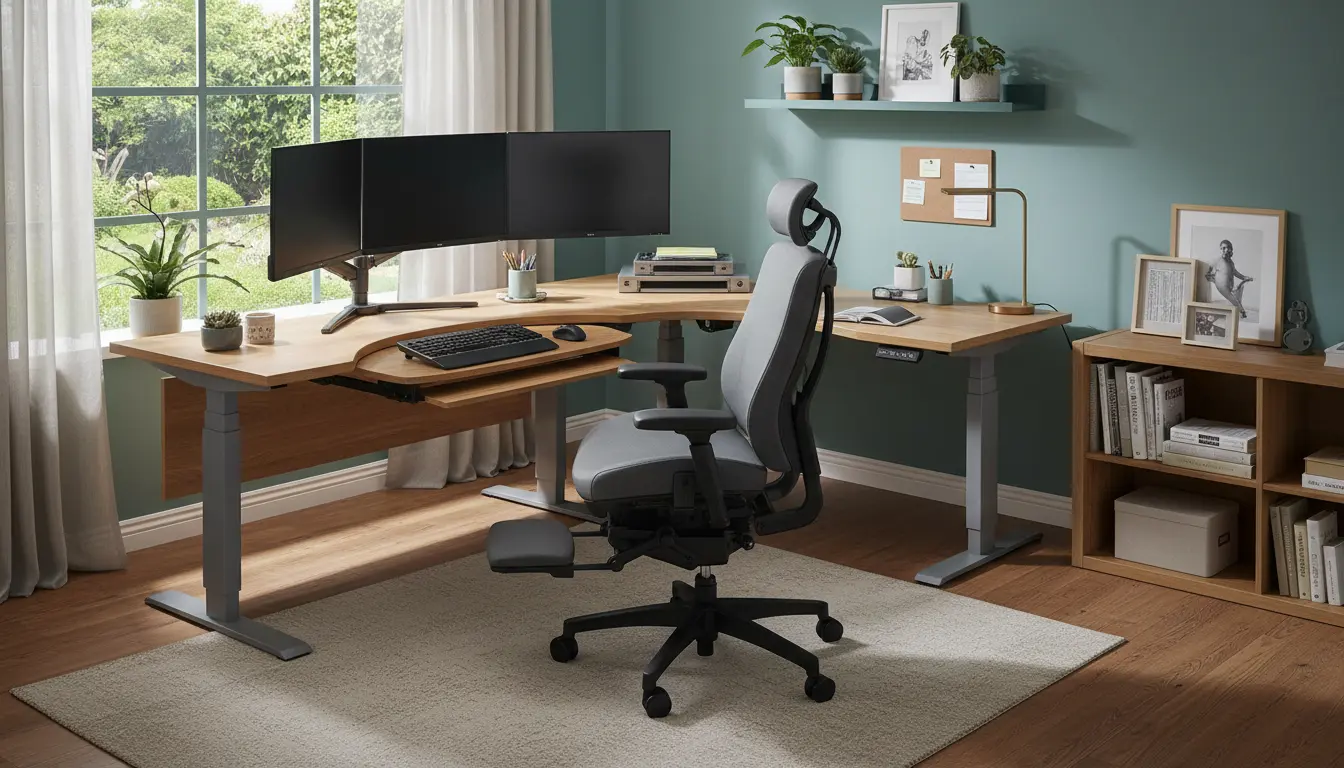
Ergonomic Home Office Setup Basics
Setting up an ergonomic home office reduces pain and improves focus. This guide gives clear, practical steps you can apply today.
Follow measurements and simple checks to make sure your workspace supports healthy posture and regular movement.
Choose the Right Desk and Chair for Ergonomic Home Office

Select a desk at a height that keeps your forearms parallel to the floor when typing. Standard desk heights suit many people, but adjustable desks are best.
Pick a chair with lumbar support, adjustable seat height, and a stable base. Your feet should rest flat on the floor and your knees should form about a 90-degree angle.
Monitor and Screen Placement in Ergonomic Home Office
Place the top of the monitor at or slightly below eye level. The screen should be about an arm’s length away.

Use a monitor riser or adjustable arm if needed. If you use two screens, arrange them so the primary one is directly in front of you.
Keyboard, Mouse, and Input Devices
Keep the keyboard and mouse at the same level and within easy reach. Your wrists should be straight while typing, not bent up or down.
Consider a split keyboard or an ergonomic mouse if you feel wrist or forearm strain. Use a soft wrist rest for short breaks, not continuous support.
Lighting, Glare, and Screen Settings

Position your desk so windows provide natural light without causing screen glare. Use blinds or reposition lights to avoid reflections.
Adjust screen brightness and color settings to reduce eye strain. Use larger font sizes and increase contrast if needed.
Movement and Break Routines for an Ergonomic Home Office
Set a timer to stand or move every 30 to 60 minutes. Short movement breaks lower the risk of stiffness and boost circulation.
- Stand and stretch for 1–2 minutes every half hour.
- Take a 5–10 minute walk every 60–90 minutes.
- Do simple neck and shoulder rolls at your desk.
Accessories That Improve an Ergonomic Home Office
Small accessories can make a big difference. Use a footrest if your feet do not touch the floor comfortably.
- Monitor arm for flexible screen height.
- Document holder to keep papers at eye level.
- Anti-fatigue mat for standing desks.
- External keyboard and mouse for laptop users.
Declutter and Arrange for Efficient Workflow
Keep frequently used items within arm’s reach to avoid repeated twisting. Store less used items in drawers or shelves.
Maintain a clean surface to improve focus and reduce the chance of awkward reaches or strains.
Alternating between sitting and standing every 30 to 60 minutes can reduce back pain and improve energy levels. A sit stand routine is recommended by many occupational therapists.
Checklist for an Ergonomic Home Office Setup
Use this quick checklist to audit your workspace and make immediate improvements.
- Desk height allows forearms to be parallel to the floor.
- Chair supports the lower back and allows feet to rest flat.
- Monitor top is at or slightly below eye level.
- Screen is one arm’s length away with minimal glare.
- Keyboard and mouse are placed close and at the same level.
- Lighting is balanced and reduces eye strain.
- Movement breaks scheduled every 30–60 minutes.
Simple Measurements You Can Use
Measure these key distances to set up your ergonomic home office correctly:
- Monitor distance: 20–30 inches (about an arm’s length).
- Monitor height: top of screen at or just below eye level.
- Seat height: thighs parallel to floor, knees at 90 degrees.
Real-World Example: Small Case Study
Anna is a freelance writer who had neck and shoulder pain after long workdays. Her desk was too low and her laptop screen was below eye level.
She raised her laptop using a riser and added an external keyboard. She switched to an adjustable chair with lumbar support and set a 45-minute timer to stand and stretch.
After two weeks Anna reported less neck pain and better focus. Small changes to height and movement made a measurable difference.
When to Seek Professional Help
If pain persists after adjusting your workspace and routines, consult a medical professional or an occupational therapist. They can offer personalized recommendations and ergonomic assessments.
For ongoing issues, a formal workstation assessment may identify hidden causes like poor chair fit or lighting problems.
Summary: Key Steps for an Ergonomic Home Office
Start with chair and monitor adjustments, then refine keyboard placement and lighting. Add movement habits and accessories as needed.
Regularly review your setup and make small changes. Ergonomics is about consistent, practical habits that protect your body over time.