
Working from home can be comfortable and productive when your workspace supports your body. This guide explains practical adjustments you can make to reduce pain and maintain focus without expensive equipment.
Home Office Ergonomics Essentials
The basics of home office ergonomics cover five elements: chair, desk, monitor, keyboard and mouse, and lighting. Addressing each element will lower strain on your neck, shoulders, back, and wrists.
Monitor and Screen Setup for Home Office Ergonomics
Position your monitor so the top of the screen is at or slightly below eye level. This keeps your neck in a neutral position and reduces forward head posture.
Place the monitor about an arm’s length away. If you wear bifocals or need larger text, adjust distance and scale to avoid leaning forward.
Chair and Posture for Home Office Ergonomics
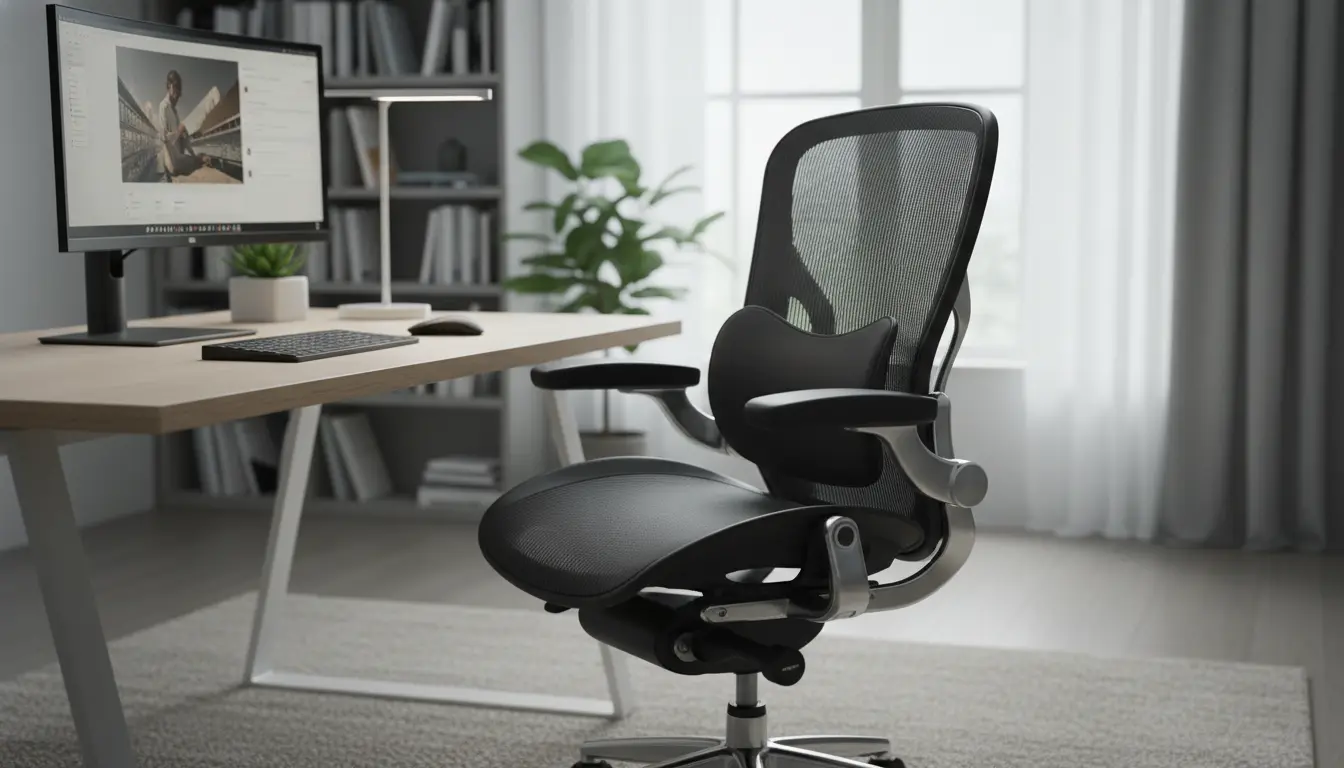
Choose a chair that supports your lumbar curve and allows your feet to rest flat on the floor. Adjust seat height so knees are at or slightly below hip level to reduce lower back stress.
Use armrests to support your forearms lightly when typing. Avoid slumping; a small lumbar cushion can help maintain a natural spine curve.
Keyboard, Mouse, and Desk Setup
Set the keyboard and mouse at a height that keeps wrists straight and elbows close to a 90-degree angle. Use a compact workflow to minimize reaching and repetitive strain.
Consider a negative-tilt keyboard tray or a wrist rest if your wrists tend to bend upward. Keep frequently used items within easy reach to avoid twisting or stretching.
Setting Up a Home Office Ergonomics Plan
Create a simple plan to evaluate and adjust your setup over a week. Small changes implemented consistently will have a bigger effect than one-time fixes.
Follow these practical steps to set up your workspace with ergonomics in mind:
- Assess current pain points (neck, back, wrists) and prioritize fixes.
- Measure desk and chair heights; make incremental adjustments.
- Adjust monitor, keyboard, and mouse positions for neutral posture.
- Add lighting and anti-glare measures to reduce eye strain.
- Schedule regular movement breaks and track improvements.
Checklist for Quick Setup
- Top of monitor at eye level or slightly below.
- Feet flat on the floor or on a footrest.
- Elbows near 90 degrees and wrists straight.
- Lower back supported, shoulders relaxed.
- Screen brightness and contrast comfortable for the room lighting.
Sitting in a poor posture for one hour can reduce blood flow and increase muscle fatigue. Short breaks every 30 to 45 minutes improve circulation and focus.
Quick Tips and Daily Habits for Home Office Ergonomics
Daily habits reinforce ergonomic setup and prevent discomfort from returning. Small routines are easier to maintain than large, infrequent changes.
- Follow the 20-20-20 rule: every 20 minutes look at something 20 feet away for 20 seconds.
- Stand or walk for 5 minutes every hour to reduce stiffness.
- Do a brief set of stretches targeting the neck, chest, and hips each day.
- Alternate sitting and standing if you use a standing desk; avoid prolonged static positions.
Simple stretching examples:
- Neck rolls: slow circles, 5 each direction.
- Chest opener: interlace hands behind back and lift gently for 20 seconds.
- Hip flexor stretch: kneel and push hips forward for 30 seconds per side.
Real-World Example: Small Case Study
Sara is a freelance designer who experienced daily neck pain after switching to remote work. Her monitor was too low and her chair offered no lumbar support.
She raised the monitor by 4 inches, added a small lumbar cushion, and set an alarm to stretch every 40 minutes. Within two weeks she reported less neck stiffness and improved focus.
This example shows that inexpensive, targeted adjustments and consistent habits can produce measurable improvement quickly.
When to Seek Professional Help for Home Office Ergonomics
If pain persists despite adjustments, consult an ergonomist, physical therapist, or occupational health professional. They can assess posture dynamically and recommend personalized changes.
Persistent numbness, sharp pain, or loss of function requires prompt medical attention. Do not ignore symptoms that affect daily activities.
Final Checklist: Maintain Your Home Office Ergonomics
Keep a simple checklist to review your setup monthly. Small maintenance tasks prevent gradual drift back into poor posture and habits.
- Re-measure monitor and chair positions every 4–6 weeks.
- Replace worn cushions or supports as needed.
- Keep lighting and screen settings optimized for the season.
- Track pain or discomfort and adjust priorities accordingly.
Applying these practical steps for home office ergonomics will reduce discomfort and sustain productivity. Start with one or two changes today and build a routine that fits your workday.