
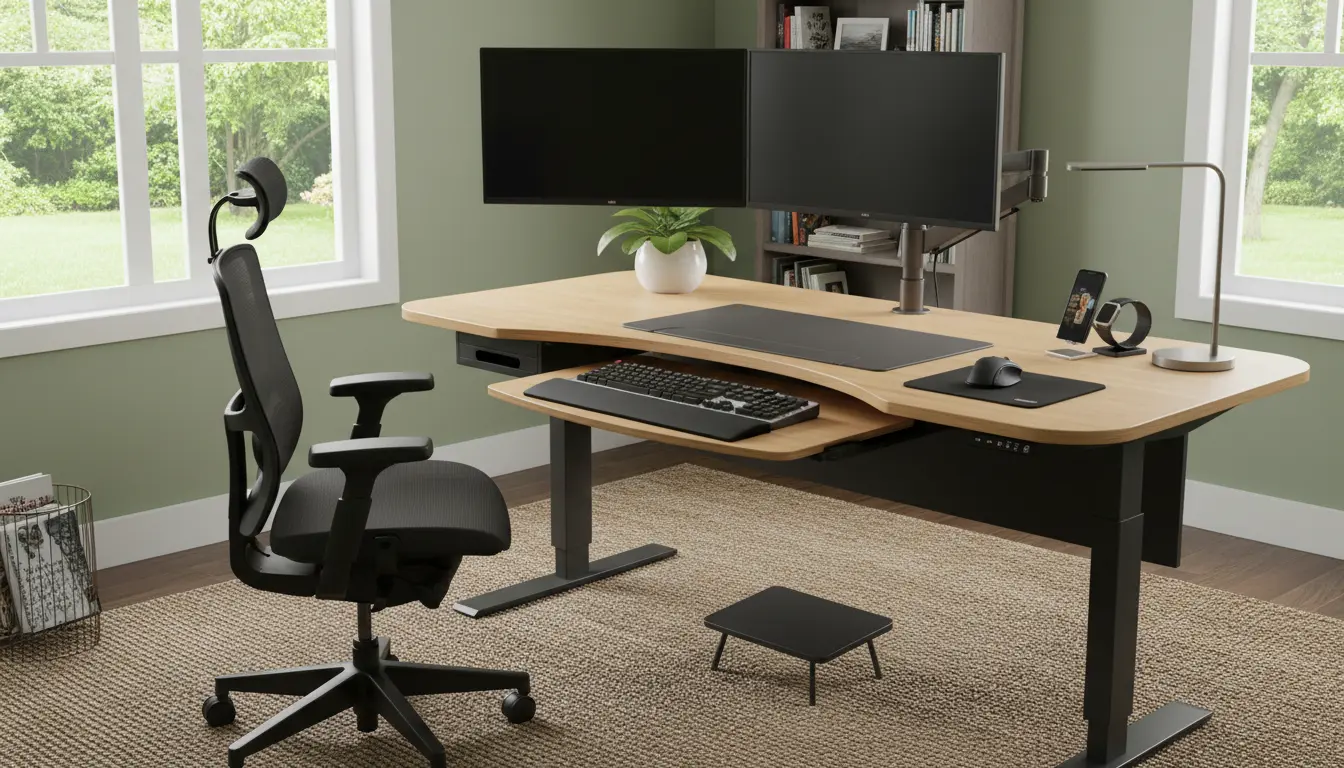
Home Office Ergonomics: Why It Matters
Home office ergonomics means arranging your workspace so your body is supported while you work. Proper setup reduces muscle strain, improves comfort, and can increase productivity.
Small adjustments often make a big difference. This guide gives practical steps you can apply today without expensive equipment.
Basic Principles of Home Office Ergonomics
Start with three core areas: posture, equipment placement, and movement. Each area is simple to check and adjust.
Use this checklist to evaluate your workspace: chair, desk height, monitor position, keyboard and mouse placement, lighting, and breaks.
Posture and Seating
Your chair should support the natural curve of your lower back. Sit with feet flat on the floor and hips slightly higher than knees when possible.
Adjust armrests so shoulders relax. If your chair lacks lumbar support, add a small cushion or rolled towel behind the lower back.
Monitor and Screen Position
Place the top of your monitor at or just below eye level. The screen should be about an arm’s length away to reduce eye strain.
Use a laptop stand or external monitor for better height. If you use dual screens, center the primary screen and angle the second slightly inward.
Keyboard and Mouse Placement
Keep your forearms parallel to the floor or angled slightly downward. Wrists should rest in a neutral position, not bent up or down.
Position the keyboard and mouse close to avoid reaching. A compact keyboard or a tray can help maintain proper alignment.
Desk Height and Standing Options
Desk height should allow a 90–110 degree bend at the elbows when typing. Standard desks work for many people but may need adjustments for comfort.
Consider a sit-stand desk or a converter to alternate positions. Standing for short periods reduces stiffness but should be balanced with seated breaks.
Lighting, Glare, and Eye Care
Good lighting prevents eye strain and headaches. Use a mix of ambient light and task lighting to illuminate your workspace evenly.
Avoid placing the monitor directly in front of a bright window. Use blinds or reposition the monitor to reduce glare.
Movement and Breaks
Movement is part of ergonomics. Schedule short breaks to stand, stretch, or walk every 30–60 minutes.
Simple microbreaks help: shoulder rolls, neck stretches, and standing leg shifts reduce tension accumulated from static posture.
Practical Accessories for Home Office Ergonomics
- Adjustable chair with lumbar support
- External keyboard and mouse
- Monitor riser or laptop stand
- Footrest if feet do not reach the floor
- Anti-glare screen or desk lamp with adjustable arm
Quick Setup Checklist for Home Office Ergonomics
- Chair height: feet flat on floor, knees at 90 degrees
- Monitor: top at eye level, 20–30 inches from eyes
- Keyboard: elbows near 90 degrees, wrists neutral
- Mouse: close to keyboard, movements from elbow not wrist
- Lighting: even, avoid screen glare
- Movement: stand or move every 30–60 minutes
Research shows small ergonomic changes, such as monitor height and keyboard position, can cut neck and shoulder pain in half for many office workers within weeks.
Case Study: Small Changes, Big Relief
Sarah, a remote customer support specialist, suffered daily neck pain after long shifts. Her monitor was too low and her laptop keyboard forced her to hunch.
She raised her laptop on a stand, added an external keyboard and mouse, and used a lumbar cushion. Within two weeks her neck pain reduced and she reported fewer headaches.
Lessons: inexpensive items and simple adjustments can yield measurable health improvements.
Troubleshooting Common Problems
Problem: Lower back pain. Solution: Increase lumbar support and check seat depth to ensure back contacts the chair back fully.
Problem: Wrist pain. Solution: Lower keyboard height, use a wrist pad only for rest between typing, and switch to light-touch typing.
Problem: Eye strain. Solution: Increase text size, add ambient lighting, and follow the 20-20-20 rule: every 20 minutes look 20 feet away for 20 seconds.
Final Tips for Long-Term Comfort
Periodically reassess your setup as your body and workload change. Small tweaks every few months prevent bad habits from returning.
Document your adjustments and note improvements in comfort or pain levels. This makes it easier to repeat what works or refine what does not.
Use the checklist and case study above to start making changes this week. Home office ergonomics is a practical investment in daily comfort and long-term health.